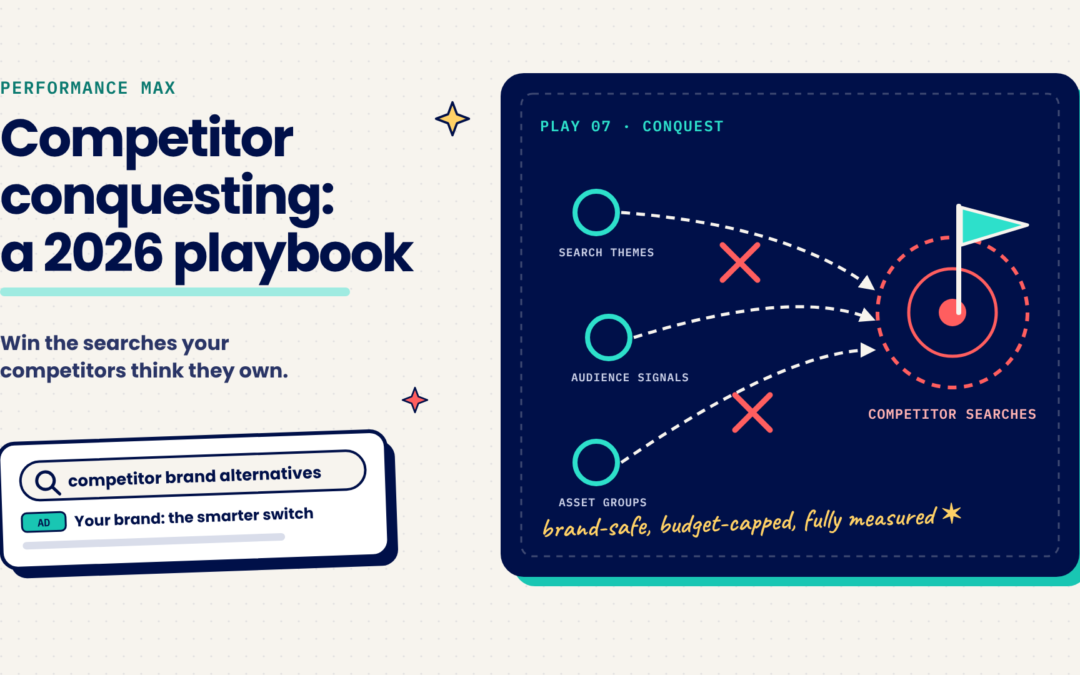
Competitor conquesting means reaching prospective customers while they are evaluating a competitor, and giving them a clear reason to choose you instead. Traditionally, conquesting has been run through Search campaigns. You bid on competitor terms, write targeted comparison ads, direct traffic to a page that makes your case, and monitor search terms closely. Performance Max raises a natural question: can automation run this strategy more efficiently?
It can, with an important limitation. Performance Max can reach competitor shoppers across Search, YouTube, Display, Gmail, Discover and Maps, often before they search for a competitor by name. However, it cannot be restricted to exact competitor queries. That makes strategic setup essential. A well-structured campaign acquires new customers efficiently. A loosely structured one spends budget on audiences that were never likely to convert.
A Seven-Step Framework for Performance Max Conquesting
1. Run conquesting as a standalone campaign. Competitor traffic converts at different rates and carries higher costs than your core audiences. A dedicated campaign with its own budget and goals gives you clean performance data and protects your primary Performance Max results.
2. Structure asset groups by competitor. Build a separate asset group for each competitor or competitor group, each with its own search themes, audience signals and creative. This shows you where you are winning. It also lets you tailor your positioning, since an advantage over one competitor may be a weakness against another.
3. Add competitor-focused search themes. Each asset group supports up to 50 search themes. Include competitor brand names along with “alternative” and “vs.” variations. Search themes act as directional signals rather than keywords, but they guide Performance Max toward the queries that matter.
4. Build competitor audience signals.Create a custom segment of users who have searched for your competitors’ brands or who visit similar websites. Add your converters list as a second signal so the algorithm understands what a high-value customer looks like. Focus spend on new-customer acquisition.
5. Apply brand exclusions so the campaign does not claim credit for users already searching for your brand. Exclude first-party customer lists, an option Google introduced in 2026.
6. Add campaign-level negative keywords for competitor login, careers, support and investor queries.
7. Pair “why switch” messaging with a dedicated comparison page.Competitor searchers want to know why they should choose you. Lead with your clearest, most defensible differentiator, whether that is faster onboarding, stronger support, flexible contract terms or senior-level account management. Then direct traffic to a dedicated, objective comparison page rather than your homepage. Strong comparison content also improves visibility in AI Overviews, which appear on roughly 95% of comparison searches.Set targets based on customer acquisition cost.Conquesting typically carries a higher cost per conversion than brand or non-brand campaigns. Base your targets on the value of a new customer rather than your blended average, and allow sufficient time for the campaign to complete its learning period.
Compliance and Brand Safeguards
Keep competitor trademarks out of ad copy. Google permits trademarked terms as keywords and search themes. Using them in ad text is different: if a competitor has filed a complaint, those ads may be restricted, and repeated violations can put the account at risk.
Review automatically generated assets. If you use Performance Max’s automated asset creation, review the output regularly to make sure it does not include competitor names or unsupported claims.
Keep messaging professional. Positive, comparative messaging builds credibility. Disparaging a competitor undermines your brand and can create legal exposure.
Keep claims accurate and current. Review your comparison pages regularly. Competitors will read them too.
Measuring Performance
Review search terms often. If most Search traffic is unrelated to competitors, refine your search themes, expand negative keywords and confirm brand exclusions are active.
Monitor channel distribution. Some spend on YouTube and Display is expected, since those channels reach shoppers earlier in their research. Placements that consistently fail to convert should be addressed.
Measure cost per new customer. Integrate your CRM and import offline conversions so you are judging the campaign on acquisition cost rather than cost per click. Conquesting clicks are expensive, but the customers they produce often justify the cost.
Run Search alongside Performance Max. Exact-match competitor keywords in Search remain the most precise option and take priority over Performance Max when a query matches. Many of our clients pair the two: Search for high-intent competitor queries, Performance Max for broader reach.
Why Brands Partner with Simple Search Marketing
Competitor conquesting is one of the clearest tests of PPC strategy. The difference between a campaign that acquires customers and one that drains budget comes down to signal quality, exclusion discipline and close performance management.
Proven experience. Our paid search team has run competitor conquesting programs since before Performance Max launched.
Google Premier Partner status.
Early access to new capabilities. Google is rolling out alpha and beta features that give advertisers more control over Performance Max channel allocation, through bidding strategies or direct allocation controls. We are testing them now so our clients benefit first.
Results tied to growth. We report on new customers and acquisition cost, not clicks and impressions.
If you want to know whether your competitors’ customers are within reach, our strategists can review your current setup and identify the opportunities. Schedule a strategy consultation →
Sources
- New Performance Max steering and reporting updates coming in 2026, Google, January 2026
- Trademarks policy, Google Ads Help
- Performance Max Search Themes & Negative Keywords: The 2026 Practitioner’s Guide, February 2026