
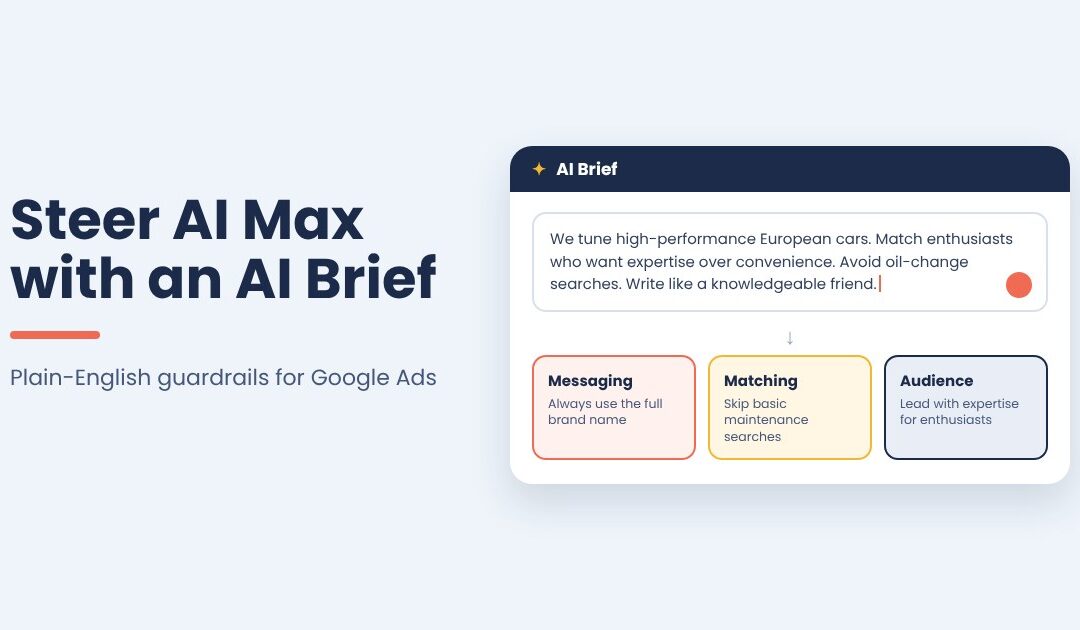
AI Max can find searches your keyword list never would. That’s the appeal, and for a lot of advertisers it’s also the worry. When Google’s AI is writing headlines, picking landing pages and deciding which queries count as relevant, how do you keep it on brand and on target? Google’s answer is AI Brief. Instead of managing long negative keyword lists and dozens of text rules, you describe your business in plain English, the way you’d brief a new team member. Google’s AI turns that description into guardrails for your campaign.
Sidenote: one of our clients in healthcare b2b got an SQL from a hospital looking for a vendor for something completely different for the hospital and clicked into our Google AI ad. You might see some of this start appearing in your CRM. Our client sells enterprise telemedicine services and the hospital was looking for a paper products supplier. TBD if it becomes an actual customer.
We’ve started using AI Brief with clients, working with our Google Ads rep. Here’s what it is, how to write a brief that works, and what to watch for.
What is AI Brief?
Google announced AI Brief on April 30, 2026, as part of AI Max’s first anniversary. Google describes it as a Gemini-powered tool that offers “a new way to use your own words to steer AI Max,” where you explain your business, what your ads should say and who you want to reach. It’s a big change in how advertisers talk to Google’s automation. Until then, the main controls were text guidelines, which capped each campaign at 25 term exclusions and 40 messaging restrictions. AI Brief lets you explain the reasoning behind your rules, so the system can apply them to searches you never thought to list.
One thing it doesn’t do (thank God): replace keywords. Google’s Brendon Kraham told reporters that keyword lists aren’t going away, and prompting is being layered on top of them.
How AI Brief works
You write one free-form prompt. AI Brief turns it into three kinds of guidelines, each with an example from Google:
| Guideline | What it controls | Example |
|---|---|---|
| Messaging | What your ads should and shouldn’t say, including brand voice, legal limits and key moments | “Never mention pricing.” |
| Matching | Which searches to prioritize or avoid, using intent instead of keyword lists | “Prioritize searches for full service telemedicine support.” |
| Audience | Tailored messages for specific groups | “For enterprise healthcare organizations who are actively seeking a new vendor.” |
Before anything goes live, AI Brief shows previews of sample ad copy and example searches, so you can adjust the guidelines first. If you already use text guidelines, they move into the messaging section automatically.
Before you start with implementing
- Turn on AI Max features. Your campaign needs search term matching and text customization switched on in AI Max for Search. Text guidelines already required text customization, so AI Brief builds on the same setup.
- English only, for now. Google is rolling it out in English for AI Max for Search first, followed by Performance Max and AI Max for Shopping.
- Expect an experiment. AI Brief works on a best-effort basis, so review what it generates. Google’s own announcement doesn’t say how closely previews match what serves live.
How to write a Google Ads AI Brief that works
The best briefs connect a customer to the message that will win them over. Think of AI Brief as a steering wheel, not a set of train tracks. It points the campaign in the right direction, but Google still needs room to find new searches that convert.
Do
- Describe the person and what they want. “People who want expert engine tuning rather than convenience” tells the system far more than a product name.
- Explain why. If something shouldn’t match, say why. The reasoning helps the AI apply the rule to similar searches you didn’t list.
- Leave room to explore. Target “high-performance European vehicles” instead of one model and year.
- Use plain language. Say “original factory parts,” not “OEM.”
- Be firm about brand rules. Name the promise you always lead with and the exact way your brand name should appear. Google suggests words like “always” and “never” to make rules clear (Search Engine Journal).
- Set the tone. For example, “a knowledgeable friend: authoritative but warm.”
- Say what’s out of scope, like services you don’t offer.
- Include proof. Specific benefits and study results give the AI better material for ad copy.
Don’t
- Use vague words like “modern” or “premium.” They don’t give the system anything it can act on.
- Paste a keyword list. Describe the type of traffic you want and why.
- Try to set bids or budgets, like “only show if CPC is under $5.” Your bid strategy and budget handle that.
- Over-restrict. If you sell SUVs and rule out everything else, you might block a search like “rugged hatchback” that would have converted.
A sample brief
We run a workshop that does high-precision engine upgrades and tuning. Match enthusiasts of high-performance European vehicles who want expertise over convenience. Avoid people looking for basic maintenance like oil changes, because our shop isn’t equipped for it. Write like a knowledgeable friend: confident but warm. Always use the full brand name.
It names the customer, explains the exclusion, leaves room to explore and sets a tone. That’s the pattern to copy.
Setting up your Google Ads AI Brief
In AI Max for Search
- Open your campaign settings and find AI Brief under “Optimize your Search Campaigns with AI Max.”
- Click “How it works” for a preview, then “Create guidelines.”
- Enter your brief and click the arrow at the bottom right.
- Review the guidelines AI Brief generates. You can edit each type directly.
- Check the preview pane, which pulls the URL from your responsive search ad and shows sample ad copy and example searches.
- Save.
In Performance Max and AI Max for Shopping
Google has been bringing AI Brief to these campaigns after the Search rollout, so access varies by account.
- Without a product feed, guidelines apply only to Search text ads. Look for AI Brief under “Other settings.” If you already use text guidelines, you’ll see a new matching guidelines option alongside them.
- With a Merchant Center feed or AI Max for Shopping, guidelines apply to both Shopping and text ads. Previews show sample product titles, headlines and searches more or less likely to trigger your ads. That matters because AI Max for Shopping can rewrite product titles to match searches (Google).
What to watch after launch
- Search terms. Check the search terms report weekly for the first month. Remember that Google now reports some AI-driven searches as “the best approximation of the user’s intent” rather than the exact query.
- Ad copy. Review generated headlines and descriptions in your asset report, especially for legal or pricing language.
- Results by segment. Compare conversion rate and cost per conversion before and after the brief, and change one thing at a time so you know what moved the numbers.
- Your brief. Treat it as a living document. Update it when you launch a promotion, drop a service or learn which searches aren’t converting.
TLDR
AI Max works best when it has room to explore, and most advertisers’ worries come from not knowing where it will wander. AI Brief closes that gap. You get to explain your business the way you’d explain it to a smart new hire, and Google’s AI gets the context it needs to find better searches and write better ads.
A strong brief takes about an hour to write. A weak one can quietly cost you months of wasted spend or off-brand ads. If you’re running AI Max or thinking about turning it on, talk to our team. We’ll help you write a brief and set up the reporting to see whether it’s working.